How to play the playtest
Six steps, from your profile to the deploy screen. Windows 10 or 11 PC, DirectX 12 GPU.
No account yet?
Create your account and pick PC. Your playtest download appears on your profile once your account is set up. Create your account
-
STEP 01
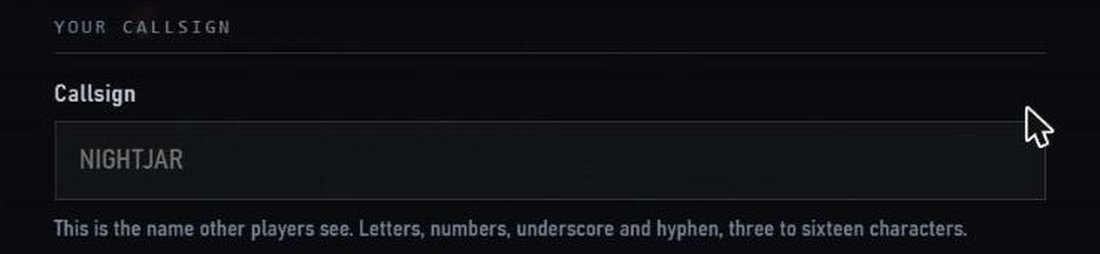
Open your profile.
Sign in and find Your playtest download.
-
STEP 02
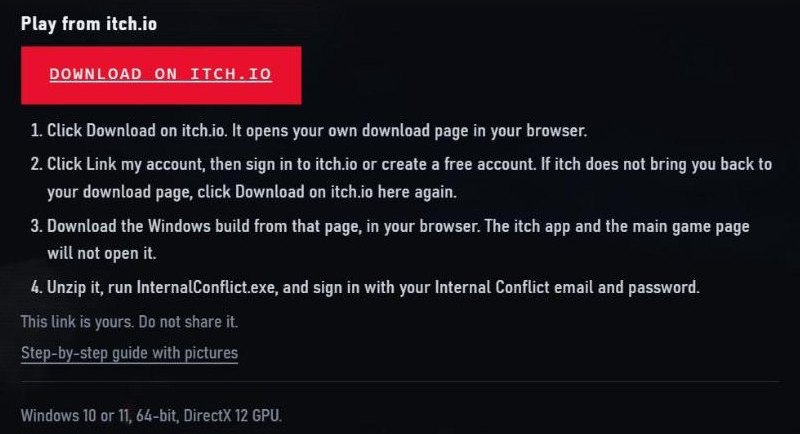
Click Download on itch.io.
Then click Link my account and sign in to itch.io, or make a free account.
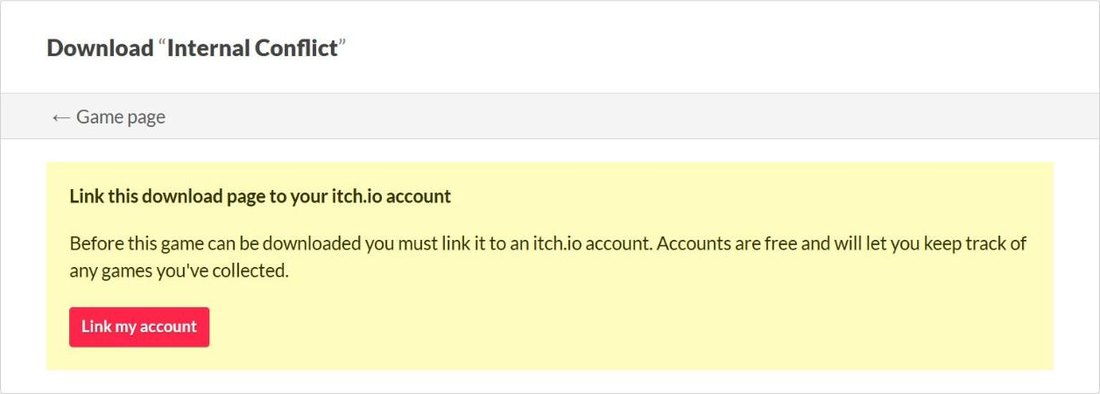
-
STEP 03
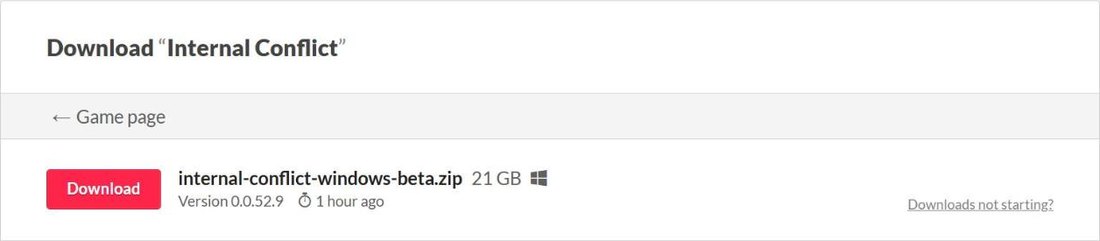
Download the Windows file.
Use your web browser. The itch app will not open it.
-
STEP 04
Unzip it.
Right-click the zip and choose Extract All.
-
STEP 05
Run InternalConflict.exe.
If Windows warns you, click More info, then Run anyway.
-
STEP 06
Sign in and deploy.
Use your Internal Conflict email and password.
Played before?
Download again from the same link. Delete your old Internal Conflict folder first. The old build cannot join the server.
If something goes wrong
- I do not see a download on my profile.
- Your account needs to be cleared for the playtest. If you just made it, wait a few minutes and refresh. Still nothing? Write to admin@internalconflictgame.com.
- itch asks for a password.
- Use the Download on itch.io button on your profile, not the main itch page. Your button opens your own download page.
- Windows blocked the game.
- Click More info, then Run anyway. This shows for new games that are not yet widely downloaded.
- I cannot sign in.
- Use your Internal Conflict email and password, the same as the website. Forgot it? Reset it at the password reset page.
- It says my version is out of date.
- Delete the old folder and download again from your profile.
- Mac, Xbox or PlayStation?
- This playtest is Windows PC only for now.
 Y2K COMPLIANT. MOSTLY.
© 2026 HAPPYDALE. ALL RIGHTS RESERVED. INTERNAL CONFLICT IS A WORK OF FICTION.

Internal Conflict uses Unreal® Engine. Unreal® is a trademark or registered trademark of Epic Games, Inc. in the United States of America and elsewhere.
Unreal® Engine, Copyright 1998 – 2026, Epic Games, Inc. All rights reserved.